
None in stock at this time Email for more information: e8285a@amtronix.com
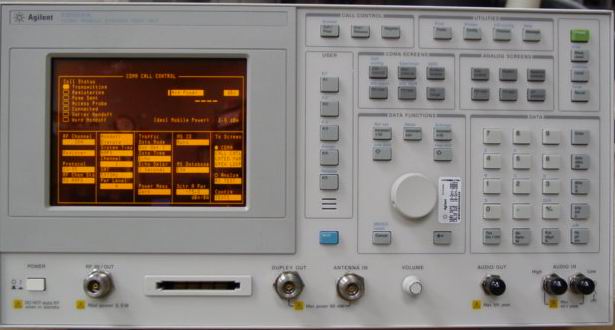
E8285A - Full 0.4 MHz to 1000MHz operation
Refurbished with option 102 (spectrum analyzer/tracking generator)-$950.
Here is
the Agilent / HP E8285A unit. This unit was originally made for
CDMA testing but it makes an excellent Service Monitor. For this
low price, you get a quality instrument for hobby or
professional radio testing. This is our "Poor Mans Service
Monitor". These units generate and receive AM, FM accurately
from 0.4 to 1000 MHz. Other features and screen pictures are
listed below. All Amtronix E8285A units have the correct
downconverter and firmware for 0.4-1000 MHz use. Use caution if
buying these on the used market because most only work from
800-1000 MHz. These units are tested for generate and receive
accuracy. All self diagnostics pass. We include a NIST traceable
calibration with data and a 180 day warranty. Units are
scratched, may have small dents but work fine. The displays are
bright and easy to see but do have burns.. Feel free to request
pictures of your individual unit. If you ever have a problem
with your unit, we have all modules at low prices.
It's a well built rugged design with an "electro-luminicent" display. This unit is similar but not exactly like the HP 8920B units. It includes similar features and screens like the : RF analyzer, AF Analyzer, RF Generator, TX Test, RX Test, Duplex, Encoder, Decoder, Spectrum Analyzer / Tracking Generator, Sinad and Distortion meters, AC/ DC Voltmeter, Self Diagnostic Tests, and Configure Screens. and Oscilloscope.
Also included is a Power Meter for power up to 2.5 watts. You will need to add an external attenuator to measure higher power. It has 2 AF generators useful for generating 1000Hz tone and CTCSS tones at the same time, 2 uV "off the air" sensitive receiver, AM, FM and SSB receive modes, 2.5 Watt continuous input power, antenna, duplex and RF I/O ports. It will save and recall screen setups with its internal memory. It uses the more common PCMCIA SRAM cards to install / remove data.
Units now have the interior cleaned, include an NIST Traceable Calibration and 180 day warranty.
It's a well built rugged design with an "electro-luminicent" display. This unit is similar but not exactly like the HP 8920B units. It includes similar features and screens like the : RF analyzer, AF Analyzer, RF Generator, TX Test, RX Test, Duplex, Encoder, Decoder, Spectrum Analyzer / Tracking Generator, Sinad and Distortion meters, AC/ DC Voltmeter, Self Diagnostic Tests, and Configure Screens. and Oscilloscope.
Also included is a Power Meter for power up to 2.5 watts. You will need to add an external attenuator to measure higher power. It has 2 AF generators useful for generating 1000Hz tone and CTCSS tones at the same time, 2 uV "off the air" sensitive receiver, AM, FM and SSB receive modes, 2.5 Watt continuous input power, antenna, duplex and RF I/O ports. It will save and recall screen setups with its internal memory. It uses the more common PCMCIA SRAM cards to install / remove data.
Units now have the interior cleaned, include an NIST Traceable Calibration and 180 day warranty.
Differences between
the E8285A and the HP 8920B
Here are the
main differences between the HP 8920B and the Agilent E8285A
units. The E8285A does not have the following features found
on the 8920B:
1) The E8285A does not auto count the RF frequency on the RF Analyzer Screen and the 8920B does.
2) The E8285A does have an encoder and decoder screen like the 8920B units but these screens do not include the DPL, LTR, EDACS or POSCAG functions found on the 8920B. The 8935 does encode / decode CTCSS and DTMF.
3) The E8285A does not have a squelch control. The squelch can be operated in a "fixed" level or open.
4) Only E8285A units with option 102 have the spectrum analyzer / tracking generator feature.
5) Power input is limited to 2.5 watts. More power will require an external attenuator.
The E8285A has some extra's over the 8920B. The E8285A has spec'd. accuracy from 300KHz-1000MHz and 1.7GHz-2.0GHz.and works down to 0.1 MHz. The E8285A has an "electro-luminicent" display that is much more visable in sunlight and has a longer life than the 8920 type CRT display. Most modules including the input module can easily be swapped from unit to unit because the cal data is included in the module and will auto read.
Here are the HP / Agilent E8285A Screens. They are the TX Test, RX Test, Duplex Test, RF Generate, RF Analyzer, AF Analyzer, Spectrum Analyzer, Spectrum Analyzer with Tracking Generator in use, Oscilloscope, Encoder and Decoder.
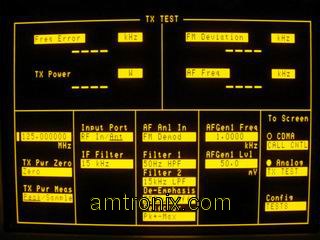
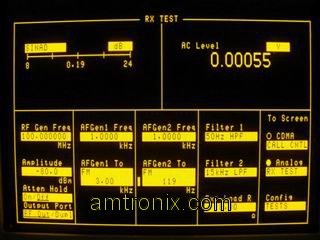
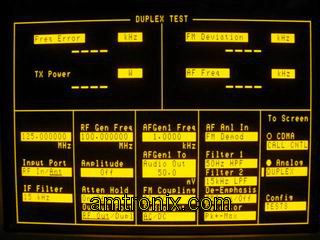
E8285A TX Test Screen E8285A RX Test Screen E8285A Duplex Screen
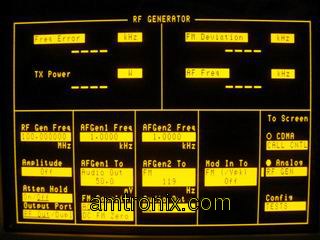
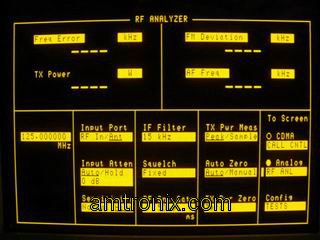
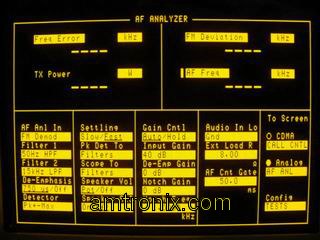
E8285A RF Generator Screen E8285A RF Analyzer Screen E8285A AF Analyzer Screen
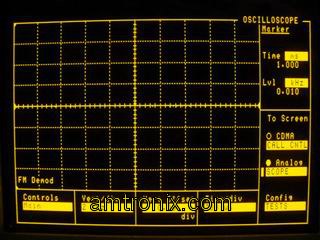
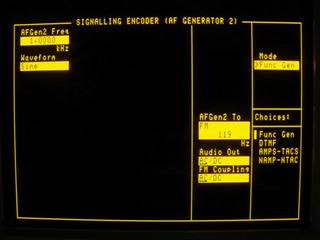
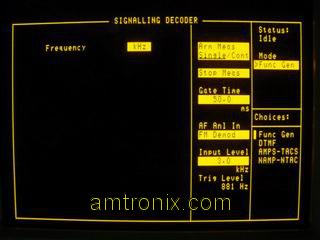
E8285A Oscilloscope Screen E8285A Signaling Encoder Screen E8285A Signaling Decoder Screen
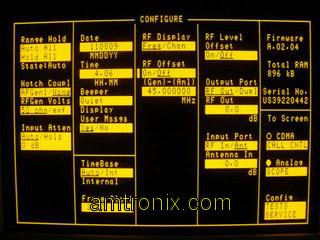
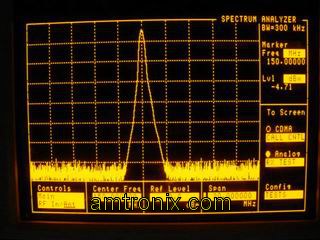
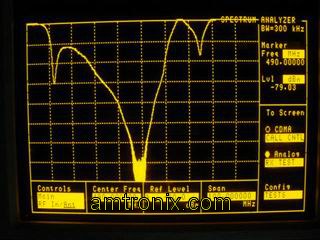
E8285A Configure Screen E8285A Spectrum Analyzer Screen E8285A Tracking Generator Screen
Some of these pictures aren't the sharpest but it's easy to note that they are very similar to the 8920B units.
Differences between HP 8920A/B, 8924C, E8285A and HP E6380A
Set up your E8285A for Analog Radio Use
AA battery low warning modification
Capture the E8285A screen to your PC
Back to Test Equipment
1) The E8285A does not auto count the RF frequency on the RF Analyzer Screen and the 8920B does.
2) The E8285A does have an encoder and decoder screen like the 8920B units but these screens do not include the DPL, LTR, EDACS or POSCAG functions found on the 8920B. The 8935 does encode / decode CTCSS and DTMF.
3) The E8285A does not have a squelch control. The squelch can be operated in a "fixed" level or open.
4) Only E8285A units with option 102 have the spectrum analyzer / tracking generator feature.
5) Power input is limited to 2.5 watts. More power will require an external attenuator.
The E8285A has some extra's over the 8920B. The E8285A has spec'd. accuracy from 300KHz-1000MHz and 1.7GHz-2.0GHz.and works down to 0.1 MHz. The E8285A has an "electro-luminicent" display that is much more visable in sunlight and has a longer life than the 8920 type CRT display. Most modules including the input module can easily be swapped from unit to unit because the cal data is included in the module and will auto read.
Here are the HP / Agilent E8285A Screens. They are the TX Test, RX Test, Duplex Test, RF Generate, RF Analyzer, AF Analyzer, Spectrum Analyzer, Spectrum Analyzer with Tracking Generator in use, Oscilloscope, Encoder and Decoder.
E8285A TX Test Screen E8285A RX Test Screen E8285A Duplex Screen
E8285A RF Generator Screen E8285A RF Analyzer Screen E8285A AF Analyzer Screen
E8285A Oscilloscope Screen E8285A Signaling Encoder Screen E8285A Signaling Decoder Screen
E8285A Configure Screen E8285A Spectrum Analyzer Screen E8285A Tracking Generator Screen
Some of these pictures aren't the sharpest but it's easy to note that they are very similar to the 8920B units.
Using the E8285A Test
Set
The E8285A Test Set has several screens for analog use. To
access these screens, rotate the curser knob on the front
panel until the curser is on the top most field known as the
title bar. Select this field by pressing in the curser knob.
With the field highlighted, rotate the curser knob and the
different fields will scroll. To select one, stop on it and
select it. The scroll knob can now be used to move the
curser to different fields on te screen. Fields are changed
by selecting the field and rotating the curser knob of using
the keyboard to enter numbers / letters. To make the test
set boot to the analog RF Generator field, your test set has
this field saved as "POWEON". (in the save / recall menu)
The analog section of the E8285A test set was removed from
the units user manual but is is extremely similar to the
E6380A unit. For more information on using the E8285A, it's
suggested you download the E6380A Reference Manual and see
the analog section Reference
Manual .Differences between HP 8920A/B, 8924C, E8285A and HP E6380A
Set up your E8285A for Analog Radio Use
AA battery low warning modification
Capture the E8285A screen to your PC
Back to Test Equipment